


































To send a gift on Telegram, open the person's profile, tap Gift, pick a gift priced in Stars, optionally add a message, hide your name or pre-pay the upgrade, and pay with Stars. It takes about fifteen seconds. Telegram Premium is gifted separately, as a prepaid 3, 6 or 12 month subscription, and a sent gift can't be cancelled.
What you need first
- Telegram Stars. Gifts are priced in Stars, so you need a balance. Buy them in Settings → My Stars, or earn them free in mini-apps.
- An up-to-date app. Gifts and collectibles have shipped across several releases; an old client may not show the option.
- A recipient who accepts gifts. Most people do by default.
How to send a gift: step by step
- Open the chat with the person you want to send to.
- Open their profile.
- Tap Gift (on some clients it sits behind the ⋮ menu, or as a gift icon in the message input area).
- Browse the catalogue and pick a gift. Prices are shown in Stars, and limited-availability gifts are flagged.
- Optionally attach a message, up to 128 characters (ideas in What to Write in a Telegram Gift).
- Optionally hide your name, so the gift shows as anonymous.
- Optionally pre-pay for the upgrade — see below, this is the one worth thinking about.
- Confirm and pay with Stars.
The gift appears in the chat and on the recipient's profile if they choose to display it.
How do you gift Telegram Premium?
Open the person's profile, tap the menu icon, choose Gift Premium and pick 3, 6 or 12 months. It is a prepaid subscription at a discounted rate, and it is a separate thing from the Stars-priced gifts above.
- Open the chat with the person, then their profile.
- Tap the menu icon and choose Gift Premium.
- Choose the duration: 3, 6 or 12 months.
- Confirm and pay.
Telegram's Premium FAQ says gifted subscriptions use the global rate, so they can be sent internationally. Since March 2025 you can also pay for a Premium gift with Stars (Telegram's announcement). Premium is Telegram's own subscription: Gift Club doesn't sell it. For what it costs and why the price differs by country, see Telegram Premium Price. Gifting through @PremiumBot or on Fragment with crypto is covered in How to Gift Telegram Premium.
The three options people get wrong
Pre-paying for the upgrade
When you buy, you can set a flag that covers the cost of upgrading the gift into a collectible. This is the most consequential toggle in the flow.
A standard gift can only be kept, displayed, or converted to Stars. An upgraded gift becomes a unique collectible with randomised attributes — a distinct appearance, backdrop, symbol and number — which can be transferred, listed on Telegram's marketplace, or exported to the TON blockchain as an NFT.
If you don't pre-pay, the recipient has to spend their own Stars to unlock any of that. If you're sending a gift you want to mean something, pre-pay. Read The Complete Guide to Telegram NFT Gifts for what upgrading unlocks.
Hiding your name
Anonymous sending hides you from other viewers of the profile. Consider it carefully alongside the next point, because anonymity and permanence interact.
Original details are preserved on upgrade
When a gift is upgraded, there's an option to keep the original text, sender and receiver permanently attached to the collectible as an attribute. That means a message you wrote can travel with the item indefinitely — including if it's later sold to a stranger or exported to a public blockchain. Write accordingly.
What the recipient can do with it
| Action | Result |
|---|---|
| Display on profile | Visible to profile visitors |
| Keep private | Held but not shown |
| Upgrade to collectible | Becomes unique, transferable, sellable |
| Convert to Stars | Gift destroyed; credits Stars below purchase price |
| Transfer (collectibles only) | Passed to another user |
| Export to TON (collectibles only) | Becomes an NFT in their own wallet |
Yes — they can convert your gift into Stars and the gift ceases to exist. There's a time limit on doing so, and gifts won at auction are excluded, but the option is theirs. You aren't notified.
Try it in Telegram
Open Gift Club, claim your Sparks and play a Spark round before you stake anything.
Play Gift ClubIn-app Stars can't be redeemed or withdrawn. 18+.
Costs and limits worth knowing
- Gift prices vary widely and limited-edition gifts can sell out. Telegram has noted that some collections sold out within minutes.
- Upgrading costs extra — either you pre-pay it or they do. Telegram exposes both the current upgrade price and a schedule of future prices, so the cost is not necessarily fixed forever.
- Conversion pays less than purchase. By design.
- Transfers may be delayed. Some collectibles can't be transferred or exported until a set date.
Gift-sending etiquette
- Pre-pay the upgrade for people who care about collectibles. It's the difference between a nice image and a real item.
- Don't send expensive gifts to strangers. Unsolicited high-value gifts are a common opener for social-engineering attempts.
- Don't take conversion personally. Plenty of people prefer the Stars, and it's a normal use of the feature.
- Keep anonymous gifts kind. Anonymity plus permanence is a bad combination for anything you wouldn't sign.
FAQ
Can I send Stars directly instead of a gift?
Telegram supports gifting Stars to another user as well as sending gifts. But you cannot transfer an arbitrary slice of your existing balance to a friend the way you'd send money — the gifting flow is its own purchase.
How do I gift Telegram Premium?
Open the person's profile, tap the menu icon, choose Gift Premium and pick 3, 6 or 12 months. It is a prepaid subscription at a discounted rate, sold by Telegram.
Can you wrap a gift on Telegram?
Not in Telegram itself: a gift arrives unwrapped. In Gift Club, a Telegram mini app, you can wrap a real Telegram gift you won in one of its free wraps, add a wish of up to 80 characters, and send it to a friend or as a one-time link. Your friend unwraps it in the app.
How long can a Telegram gift message be?
Up to 128 characters, the default of Telegram's stargifts_message_length_max setting. Remember it can stay attached to the gift if it is upgraded into a collectible.
Can I cancel a gift after sending?
No. Once delivered it belongs to the recipient.
Can I see if they upgraded or sold it?
A displayed collectible is visible on their profile. Sales aren't announced to you.
Can I send a gift to someone who hasn't messaged me?
Usually yes, subject to their privacy settings. Someone who restricts messages from non-contacts may not be reachable.
Do gifts expire?
The gift itself doesn't. The option to convert it to Stars does — it is only available for a limited period after receipt.
What's the cheapest gift?
The catalogue spans a wide range and changes over time; entry-level gifts cost a small number of Stars. Check the current catalogue in-app.
How do you wrap a Telegram gift?
Telegram itself has no gift wrap: a gift arrives open, with its name and picture in the chat. Gift Club, a Telegram mini app, wraps a real Telegram gift you won there before it goes out, so your friend sees only the paper and a tag with your wish, and finds out what is inside when they unwrap it. Every wrap is free.
- Pick the gift. Win a Telegram gift from a Gift Club box, scratch card or game, and open it in your collection.
- Choose how to send it. Send it straight to a friend in the app (from their profile, up to 3 a day), or create a one-time gift link to post in any Telegram chat.
- Pick the occasion and the paper. Birthday, Halloween, winter holidays, Lunar New Year, love, thank you, congrats, school, April Fools' or just because, each with its own wraps: balloons, pumpkins, snowflakes, a red envelope and more.
- Write on the tag. Type your own wish, up to 80 characters, or tear off a ready one. "See it as" with their name shows you what your friend will see.
- Send. A wrapped link's chat card shows the wrap and your name, never the gift. Your friend unwraps it in three taps: it hops, it rattles, it opens.
 Balloons
 Love
Love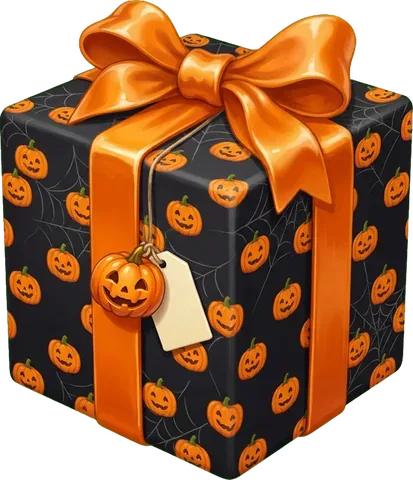 Pumpkins
 Snowflakes
 Golden koi
 Jester
The wish stays inside Gift Club. It is never written into Telegram's own gift message, which anyone can read on a profile that displays the gift. A wish can't hold a web link or an @username, because a link can reach someone you don't know. Sending a won gift out of the app needs one top-up of 50 Stars or more first; a gift a friend sent you is never held, so your friend can send it on to their Telegram profile without paying anything.
Want to go deeper?
- What to Write in a Telegram Gift — ready messages for every occasion.
- The Complete Guide to Telegram NFT Gifts — what upgrading actually creates.
- What Are Telegram Stars? — the currency gifts are priced in.
- How to Sell Telegram Gifts — what the recipient can do next.
- Telegram Stars Price — what a gift costs in real money.
Sources
 Spark round
Try it in Telegram
Open Gift Club, claim your Sparks and play a Spark round before you stake anything.
Play Gift ClubIn-app Stars can't be redeemed or withdrawn. 18+.
Keep reading

Buy Telegram Gifts With Gram: Portals, Getgems, MRKT (2026)
Which marketplaces take Gram for Telegram gifts as of October 27, 2026, how to pay from a TON wallet, what a gift costs, and Gift Club boxes with NFT prizes.
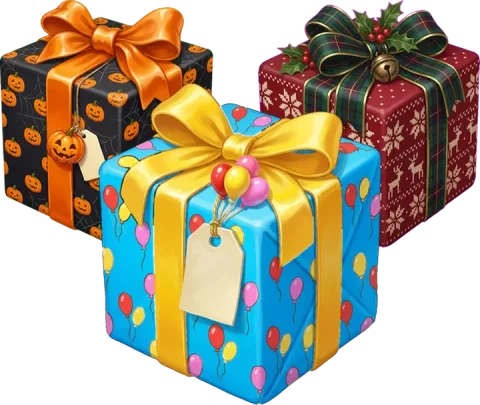
What to Write in a Telegram Gift: Messages for Every Occasion
Short Telegram gift messages for birthdays, love, friends, thanks, New Year and Halloween, the 128-character limit, and how to wrap a gift with a private wish.
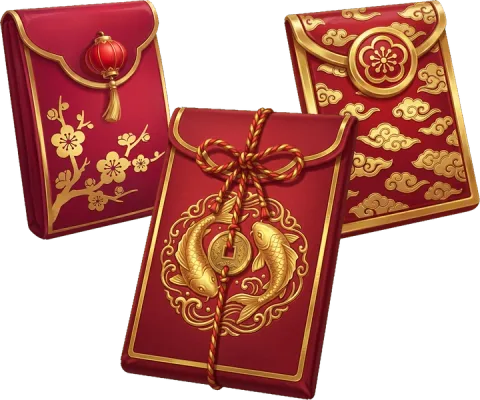
Chinese New Year 2027: Date, Year of the Goat and Red Envelopes
Chinese New Year 2027 is on 6 February: the Fire Goat year, how much to put in a red envelope, wishes in Chinese, and how to send a red envelope on Telegram.
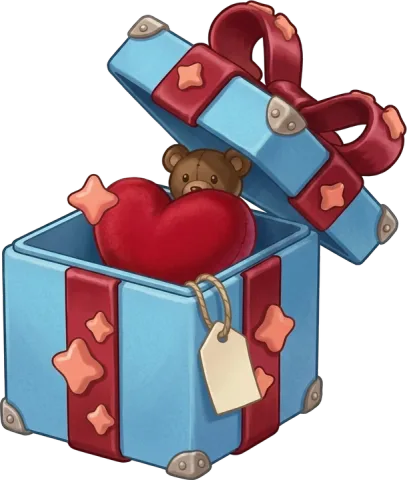
Free Telegram Gifts: How to Get a Gift on Telegram Without Paying (2026)
Telegram gifts cost Stars, but friends send them, channels give them away and Gift Club's free boxes hold them. The free ways that pay, and the bots to avoid.